7/24/2015

Combo Attack Blocking

Hey guys!  So it's been a few weeks, but I've started Workshop 2 with Jeremy Collins and it's been pretty great so far!  This class is all about attacks and take downs so it's sure to be pretty exciting.
---
For our first assignment we have to create a combo attack.  Now seeing as I'm not athletic in the slightest, I scoured the vastness of YouTube to search out some cool reference.  I had a lot of people suggest some more physical combat looking videos to me when I was looking for reference, which were pretty cool, but not exactly what I was looking for as I wanted to use some kind of weapon.  
So the first batch of reference that me and everyone else in my class pieced together was politely turned down by Jeremy.  He said we should be thinking more out of the box for ideas.  So I thought that maybe a guitar would be a cool weapon to wield.  I searched through a lot of YouTube for any videos of people swinging guitars around and came across some pretty cool stuff...
The first clip in there was some pretty great reference, this kid was doing all kinds of cool spins with his guitar which was fantastic!  Then I found the last clip, which is Billie Joe from Green Day freaking out because the concert he was at cut his performance time, and I'm glad they did because this was some great reference as well!  After that I needed to find something to piece the two clips together and Jeremy suggested I look at some Billy Maddison stuff where I found that perfectly profile golf swing.
---
From there I went into blocking out the major key frames for the shot....
A lot of these poses could definitely be pushed more to the extreme, as well as be more balanced, which is what I'm currently working on.  I also didn't pose out the fingers yet, which I should really do.  And boy oh boy did I have a "fun" time with all the constraining going on in this shot.  I didn't want to have the guitar lead the hands because I feel that I wouldn't be able to make the animation really look like her hands are actually leading it if I did that.  If you remember the Imp carrying a heavy box animation that I did you might recall that I was having that issue for that one.  So instead I have a more complicated setup for the constraints.  Thank goodness Nick Arbeiter is a constraint master because I would not have been able to do this without him, constraints are definitely not my thing.  

I'm currently going through and adjusting the timing, adding breakdown poses, and pushing the key poses for this shot, but so far it's been so much fun to animate it!  Stay tuned for more updates!

P.S. - I finally got into watching Doctor Who, so there might end up being more Doctor Who related .gifs appearing...I'm sorry in advance... :D


6/25/2015

End of Workshop 1

If you know me well enough then you are probably not surprised with my lack of making posts on my blog, if you don't, well then I am sorry, I get distracted easily.  Anyway, since my last post I finished up my going into cover animation, shot reference for my new death animation, and have been working on that.
---
Alright, so the last thing you saw of my cover animation was the blocking pass.  Well since then I polished the animation up quite a bit and rendered it out...
You might noticed I added some animation when she hits the wall, like a hit reaction.  My blocking was lacking this and it really makes the animation feel a whole lot better.  Also the fingers, I am a firm believer that finger animation just makes your animation come to life, it's crazy what a difference they make!  I also rendered out a back view of the animation for the use of showing another angle on my reel...
---
Now if you've seen my earlier posts in this blog you may remember the video reference I took of me falling back in a chair outside (my family particularly loved it).  Well I have in store for you some more video reference of me harming myself all in the name of animation!
Now that was all of the different takes I took to choose from.  My teacher pointed out that the ones where I land on my knees first, while they were pretty cool, would probably not work because of the limitations of the rig I would be working with.  So we went with one where there was still an interesting movement happening but not so much knee landing...
From there, I imported the reference into Kinovea, which is really a great program for examining reference video and picking out your key poses, and it's free!  From Kinovea, I created my key poses in Maya using the timing from my reference video...
You may notice that the action looks slow, that's because for some reason when you use the timing from your reference video in your animation, the animation actually ends up looking slow.  So after looking at this pass my teacher pointed out, and I realized, that needed to speed up the timing and adjust the fall so it looked more like the character was slamming onto the floor.  So here is my breakdown pass of my animation...(for some reason I can't get the video to upload correctly to YouTube :/ )
From this pass I received some good feedback from my teacher mentioning that I could add some hang time before she drops to the ground as well as really pay attention to the motion path of both of her hands.  Also I added some weight to her head by having it bounce a little when it hits the ground...
---
Well, that's where I'm at now!  I've finished workshop 1 but I still have time to work on this animation before the next class starts.  Also, side note here, I've actually been using my Wacom tablet to animate for this entire semester and oh my goodness, the difference is crazy!  I can't believe I didn't force myself to use a tablet earlier, it's so much easier on my wrist!  My mind is blown!

5/19/2015

Walk Render and Cover

Well hi there!  I'm finally getting around to making another blog post and I have some cool new animation things to show you guys!  
---
So since my last post, I have rendered out my walk cycle, which you can take a look at here...
I think it turned out pretty good and I'm pretty thankful that iAnimate has some pretty nice render scenes already set up for us to use because me and rendering usually do not get along.
---
Also, I have started working on a new animation!  This one will be a going into cover animation, and here's the reference video I shot for it...
This one will be a bit more exciting due to the fact that it's more action and I really like how some of my poses in my reference video look.  So from the reference, I blocked out my first pass of animation and that's what I had critiqued in our review last week...
My teacher really liked some of the poses that I was able to get in the animation so I was pretty excited about that!  Still a lot of work to be done in the way of creating more breakdown poses and then smoothing everything out.  Well that's all I've got so far!  Have a great week everyone!

4/28/2015

Walk Cycle and Idle

Hello!  So as promised I will show you my idle animation in this post.  I didn't post in in the previous one because I really didn't like how it was looking, the character was moving around just way too much, not good for an idle.  But here is what I currently have for it...
I know, it's extremely basic, also there's not a whole lot of character to it.  In our most recent review he suggested a few things to adjust to finish it off but that I don't really need to submit it again so I'll be focusing more on my walk cycle assignment for now.
---
Now for the walk cycle!  Here is what I shot for my reference footage...
Out of all the different walks I tried out I ended up going with this one because it seemed to have more character.  Also as a side note, I used Quicktime Pro to edit the footage and oh my goodness, way easier/quicker for me to get it all put together than when I would previously use Premiere.  Premiere is awesome, don't get me wrong, we just don't always get along.  Anyway, from my reference footage I went into Maya and created a first pass of animation.  Now normally when I would do a first pass I would create it in stepped mode, however my teacher had us just use auto tangents, which is apparently how they do it in his studio so you can get an animation test out quicker for the game engine.  I actually like this approach because it also cuts down on the amount of keys that you end up putting in your animation.  So here is what I turned in for our review this weekend...
He mentioned in the review some great tips that could help my animation look a bit more believable in the body mechanics department.  So I've been working on all the things he mentioned to fix all day today!  Yes, I am going to make you wait to see it in the next post that I make...

4/20/2015

Getting Back To It

*Sigh* Guys, I'm horrible at keeping up with things, like this blog for instance! I ended up not posting anything about CTNx and have not made a post since.  Well long story short, I loved CTNx, all the amazing people I had the pleasure of meeting, and California itself because it was beautiful there!

So now for what I've been doing since my last post!  I have to tell you guys I hit a point in these last few months where I was just mad at myself every day because I wasn't able to get a job doing something I don't hate and I wasn't animating.  I thought about what I want to end up doing with my career and honestly, I have come to the conclusion that I don't really care where specifically I end up as long as I'm animating.  I also realized that I need to work on my ability to motivate myself to work on something every day because I am not that great in that area at the moment.  Which brings me to my next topic!

I have started taking game animation classes at iAnimate.net!  I'm actually really enjoying it and my teacher is pretty great.  His name is Jason Shum and this is his work http://www.jasonshum.com/. Jason has been an awesome teacher so far and I'm really looking forward to the rest of the semester!

Our first class was two weeks ago and so far I've had to create idle animation poses and then an idle animation.  Here are the poses I created...


From these poses we had to choose on to turn into a basic idle animation or a combat animation, depending on the pose.  I'm not going to post my idle animation in this blog post however because I am not too happy with it at the moment.  You'll just have to anxiously await my next blog post!

So currently I still don't love where I work, but hey at least I'm animating again!

Also, I am going to attend CTNx again this year and have purchased my ticket! Woohoo!

11/21/2014

Exploring California!

Guys! Burbank is beautiful! The convention hasn't even started and I've seen so much! The trip here on the plane was really cool, everything looked so tiny from way up there!


---
 So our first day here our friends took us on a drive by of Disney Animatn Studio and then we stopped to get a picture in front of the Dreamworks building, which if you follow me on Facebook you've most likely seen this...
So that in itself was pretty exciting! Then we went to the Grennith park observatory, which had some breath taking views!


This place is just so cool!
---
On Thursday we also we're able to see some amazing things! We started off the day by going to the Hollywood walk of fame with a bunch of my friends, it was so cool seeing the stars/footprints and handprints...


So that was pretty awesome, although I did realise that Hollywood is kind of dirty lol. 
---
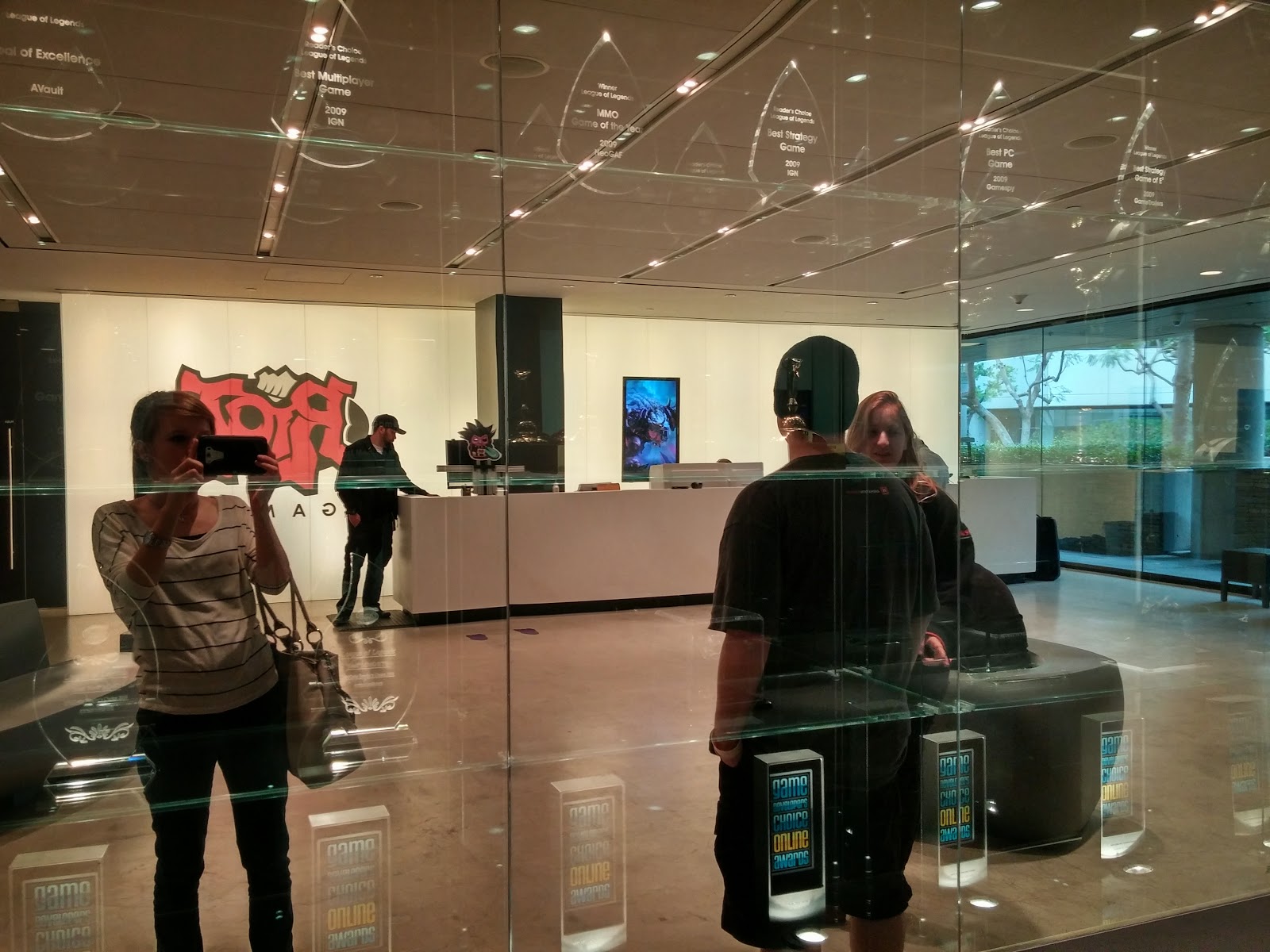
Later in the day, our friend Sarah allowed us the insane opportunity to tour Riot!


I just can't even explain how cool it was there.  The people were so down to earth and nice, and they have an awesome work environment!
---
Well today will be the first day of CTN so I hope to have lots to tell you guys tomorrow!

11/18/2014

CTN Week!

Why hello there!  I thought I would go ahead and make my first blog post for this awesome week!  So this week, if you didn't gather from the title, is CTNx 2014 week!  I am just so excited right now and I don't know how I'm expected to go to work in an hour under all of this excitement!  I have also managed to ninja pack everything for this 5 day trip in a carry on bag, I quite impressed myself there with that one too.

So for this grand weekend event, I ordered some business cards from Moo.  Oh my goodness, let me tell you, these business cards are the best quality of business cards I've ever seen.  I just love how they turned out and I recommend everyone using them!  I was pretty excited how my design turned out when printed on them as well.  Here they are!


And yes that is a Corgi calendar in the background of the middle photo, along with a painting of me as a general with a monocle courtesy of one Josh Janousky.
---
Last week I also decided to start a test animation using the new Animation Mentor rig, Aia.  She is just really a fantastic rig so far and I am excited to get more work done on this test so you guys can all see it!
---
Well my next post on here will be from California!  I'm going to try to make a new post each day of the convention so you guys can all see what's happening.  I'm also going to attempt to use my Twitter and Instagram accounts while I'm there, so you guys should follow me @crstewart24!